Mobile app
Pair the Zeus iOS/Android wallet with LND over a Tor hidden service (onion). Generate the lndconnect URL with qrencode, paste admin macaroon, connect.
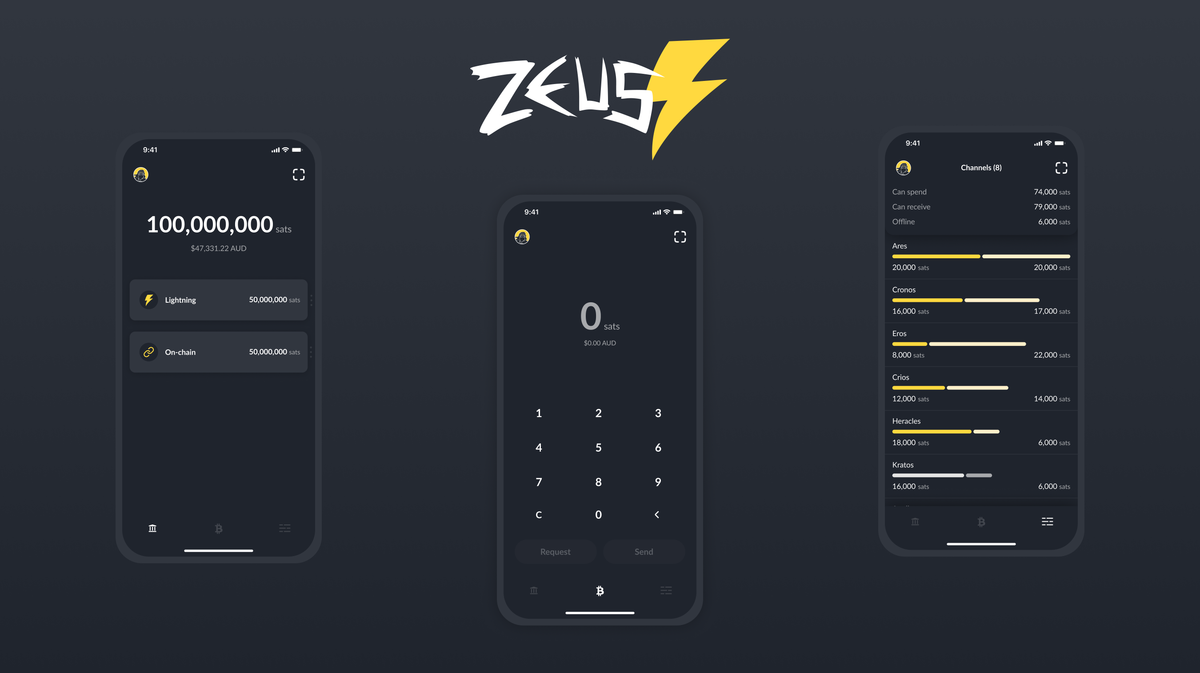
What does a Lightning node on the go look like? For this guide, it's Zeus, an open-source mobile app (iOS and Android) that talks directly to your own LND instance. No custodian, no cloud relay, no third-party pairing server. Zeus reaches your node over a Tor hidden service, which means your Pi's address stays secret and your home IP stays off Lightning Network traffic from your phone.
You'll set up a dedicated onion for LND's REST API, mint a QR code containing the onion URL, the port, and the admin macaroon, then scan it with Zeus.
Add a hidden service for LND REST
Tor is already running on your Pi (set up in
Privacy). Adding a hidden service
for LND's REST API is three more lines in torrc.
-
As user
admin, open the Tor configuration:sudo nano /etc/tor/torrc -
Scroll to the section marked "This section is just for location-hidden services" and add:
# Hidden service for LND REST (Zeus) HiddenServiceDir /var/lib/tor/hidden_service_lnd_rest/ HiddenServiceVersion 3 HiddenServicePort 8080 127.0.0.1:8080 -
Reload Tor so it picks up the new hidden service:
sudo systemctl reload torRead the generated onion address:
sudo cat /var/lib/tor/hidden_service_lnd_rest/hostnameYou'll get back a string like
abcdefg...xyz.onion. Save it in your password manager, this is the only thing that lets Zeus find your node, and by design nothing else on the internet can.
Why an onion, not a public IP?
A hidden service address is 56 random base32 characters, the internet equivalent of an unlisted phone number. Anyone who doesn't have the string cannot connect, cannot scan for it, and cannot even tell that your Pi exists as a Lightning endpoint. That's a far stronger privacy position than opening port 8080 on your router.
Allow LND REST on loopback
LND's REST API already listens on 127.0.0.1:8080 by default;
the hidden service above forwards the onion's port 8080 to that
loopback socket, so nothing new needs to open on the firewall.
Confirm the port is live:
sudo ss -tulpn | grep 8080You should see lnd listening on 127.0.0.1:8080. If not, your
lnd.conf overrides the default, check for a
restlisten line and remove it or point it at 127.0.0.1:8080.
Build the Zeus connect QR
Zeus has a built-in QR scanner that reads a JSON payload containing the onion URL, the port, and the admin macaroon as hex. You'll paste that JSON into a QR code on the Pi, maximise the terminal window, and scan it with the phone.
-
Install
qrencodefor the QR render, andxxdfor the macaroon hex/base64 conversion below. On Debian 13,xxdis its own package and isn't pulled in by default:sudo apt install -y qrencode jq xxd -
Grab the admin macaroon as uppercase hex:
MACAROON_HEX=$(sudo xxd -ps -u -c 1000 /data/lnd/data/chain/bitcoin/mainnet/admin.macaroon) -
Grab the onion hostname:
ONION=$(sudo cat /var/lib/tor/hidden_service_lnd_rest/hostname) -
Build the Zeus config URL. The
lndconnect://scheme is what Zeus expects, and the macaroon needs base64url encoding:URL="lndconnect://${ONION}:8080?macaroon=$(echo -n "$MACAROON_HEX" | xxd -r -p | base64 | tr '+/' '-_' | tr -d '=')"Render it as a QR code in the terminal:
qrencode -t ANSIUTF8 -m 2 "$URL"Maximise your terminal window and shrink the font with
Ctrl--until the whole QR fits on screen.
The QR code contains the admin macaroon
Anyone who can photograph this screen has full control of your Lightning node. Don't screenshot it. Don't paste it into a chat. Close the terminal as soon as Zeus has paired.
Pair Zeus
-
Install Zeus on your phone. zeusln.app has the direct links, Apple App Store, Google Play, F-Droid, or a direct APK download if you prefer to sideload.
-
On the phone, make sure you have a Tor pathway. Zeus can either:
- Use Orbot (Android) or Onion Browser (iOS) as an external Tor proxy, the traditional setup, and the one this guide assumes.
- Use its built-in Tor daemon (Android only, toggle in Zeus settings), convenient, but note that channel ops will fail if the app is backgrounded aggressively by Android's battery optimiser.
-
Open Zeus, tap Get Started, then Connect a node.
-
Tap the + at the top right, give the node a nickname (
RaspiBoltworks), choose LND as the interface and REST as the connection type, then tap Scan lndconnect config. -
Scan the QR code from the Pi. Zeus fills in the onion URL, port, and macaroon automatically.
-
Tap Save node config. First connection takes a while, Zeus has to build a Tor circuit to your hidden service, so give it a minute.
-
Set a Zeus PIN or password under Settings → Security. Someone with your unlocked phone has full control of your node.
Stream isolation caveat
You set tor.streamisolation=true in lnd.conf, this means
every outbound Lightning channel uses its own Tor circuit, and
peers cannot correlate you across channels. That setting only
affects LND's outbound connections to Lightning peers. It
does not affect incoming hidden-service traffic from Zeus, which
always arrives on the hidden-service circuit regardless.
In other words: Zeus over Tor works exactly the same with or without stream isolation enabled. The privacy win of stream isolation is elsewhere.
Troubleshooting
Zeus hangs on "Connecting..."
- Tor on the Pi isn't running:
sudo systemctl status tor. - Orbot on the phone isn't running, or the phone doesn't have internet connectivity.
- LND REST isn't on
127.0.0.1:8080:sudo ss -tulpn | grep 8080. - The onion hostname in the QR doesn't match
/var/lib/tor/hidden_service_lnd_rest/hostname, regenerate the QR.
"Unable to connect to LND"
- Macaroon is malformed. Regenerate the QR with the exact commands above; the base64url encoding matters.
- LND is locked (password-file auto-unlock didn't trigger).
Check
sudo systemctl status lndand look forOpened wallet.
Payments fail with "no route"
- This is a node liquidity problem, not a Zeus problem. Check channel balances in RTL and rebalance if needed.
Main takeaway: you have full, private control of your Lightning node from your phone, payments, channel management, invoicing, with zero third-party infrastructure between you and your own Pi.
Remove Zeus access later
If you ever want to pull the plug on Zeus pairing, phone lost,
switching apps, retiring the node, comment out the three hidden
service lines in /etc/tor/torrc:
#HiddenServiceDir /var/lib/tor/hidden_service_lnd_rest/
#HiddenServiceVersion 3
#HiddenServicePort 8080 127.0.0.1:8080
Reload Tor:
sudo systemctl reload torThe onion address goes dark. Zeus immediately loses its connection.
Web app
Ride The Lightning (RTL), the browser dashboard for LND. Node.js install, RTL-Config.json, Caddy reverse proxy on port 443 with self-signed internal TLS.
Channel backup
Automated off-Pi sync of channel.backup (SCB, static channel backup) via systemd.path and scp. Restore flow with lncli restorechanbackup if the SSD dies.